
User guide
Open the app and press keys. Everything else is something to try.
- Play: click the keys, or type. Letters are printed on them
- Click a preset, or hit random
- Click a box on the map to open its knobs
- Turn Starve up under Power supply while a chord rings
- Hit share. The link is the whole board
- Press space to run the drums, Growler’s bassline and a melody you recorded. The toy’s demo songs play only from Plinky’s own ▶
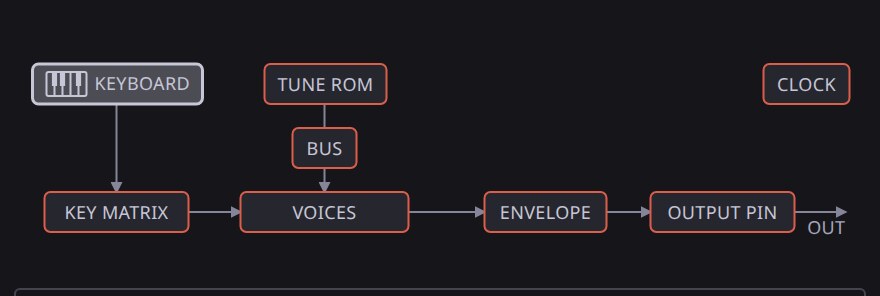
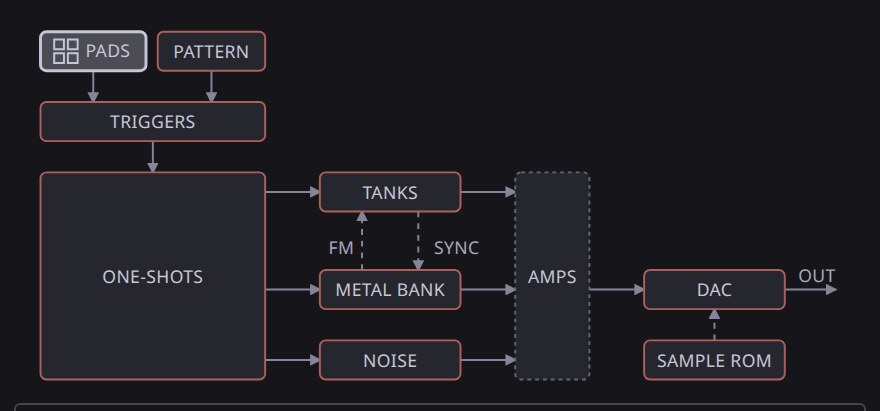
Each machine’s panel opens on a drawing of its circuit. Press a box in a drawing to open that part’s controls.
Plinky

A toy keyboard chip on a battery that sags. One RC oscillator clocks a divider, a ROM of tunes and the envelopes. Record a melody, hold a chord, turn on the arpeggiator. The six effect buttons over the keys (laser, siren, ufo, bomb, gun, bird) play one pass per press and repeat while held.
Clatter
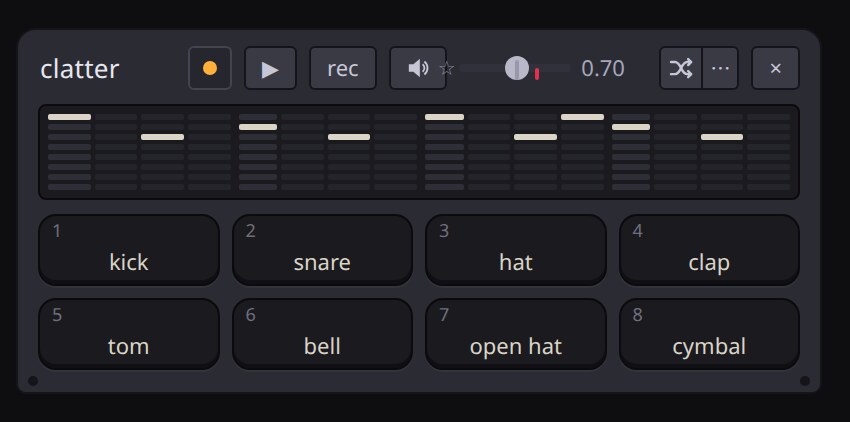
A toy drum box. A step counter reads a pattern memory and fires analog voices. Tap pads, tap the tempo, or draw steps in the strip.
The button over the last column steps through three views of each row:
- len: how many steps the row plays before it comes round
- bars: which bars it plays, after a groovebox’s trig conditions. 3:4 plays the third bar of every four, !4:4 every bar but the fourth. The button lights while any row has one
- hits: a count the row spreads as evenly as it goes over its length, starting from its first hit. 3 over 8 is the tresillo
The rows under the grid work like a tracker’s effect columns:
- ratchet fires a step ×2 to ×8 inside itself. Ratchet ramp fades the repeats out or swells them in
- nudge lands a step late, in twelfths of the step. A nudged ratchet fits its repeats into what is left
- event puts a fault on the whole board for one step: c cuts the output, d drops the cells’ contact so the shared rail sags, b brakes the mix to a stop, f repeats the step’s first half and r pulls the power. A reboot on the shared cells restarts the kit’s bar too. A run of one letter plays as one fault: four b in a row brake over the whole beat, and four f roll faster and faster. The button at the end of the row sets how often the row fires: 4:4 fires on the fourth bar of every four
- cond: each column plays only on the bars its condition names, whatever voices sit on it. p plays only when the last column with a bar condition played, !p only when it rested, and F plays only while you hold the F at the end of the row
Wander varies the beat by itself. Now and then the kit plays one bar off the grid, then goes back to the grid as you wrote it:
- Low: ghost hits, a nudged hit, a bar without the kick, a roll or a turnaround
- Higher: rows shift, halve, double or trade voices, the kit brakes or freezes the mix over the end of the bar, or a voice’s wire shorts for the bar
- Near the top: two strays stack, and ratchets blast
- The last bar of every four strays most often, and the moves row names what the bar is doing
- Wire the patch bay’s phrase source to kit wander, and Wander rises and falls over as many as 32 bars
The event row’s five faults also play live from the keyboard while the kit runs. Hold a key and the fault starts on the kit’s next step and lasts until you let go:
| key | throw | fault |
|---|---|---|
. |
cut | the whole board cut |
; |
unplug | the cells off the board; held long, reboots |
/ |
stop | the whole mix braked to a stop over a beat |
i |
stutter | the whole mix rolled faster and faster |
r |
reboot | the power pulled on every step |
land beside the morph picker holds whole-board changes for the kit’s downbeat. Set it to 4 bars, for example, and while the kit runs:
- Presets, random, mutate, reset, the named cuts, the beats buttons, the moves and the memory slots land on the downbeat that starts the next four bars. A morph sets off early so it arrives there
- Drift moves one stage a leg and lands each leg on a downbeat
- The button counts down the bars; press it to call the change off
More machines
Add them from the add instrument menu.
Glint
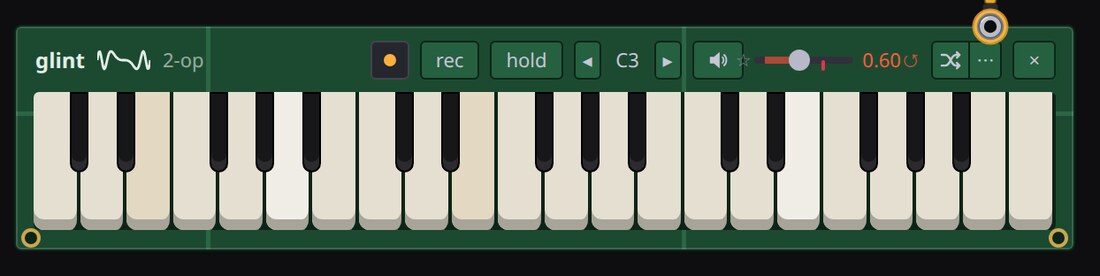
A two-operator, four-voice FM chip. A processor sets it up a byte at a time over a bus, so a wrong byte stays wrong until the processor writes that register again. The row of buttons over its keys runs the effect ROM’s scripts (bird, surf, wind and seven more) while held.
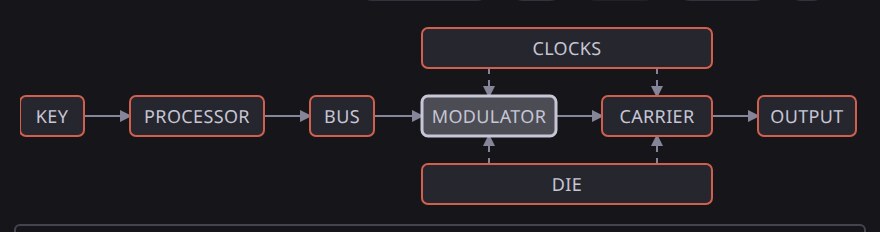
Parlor
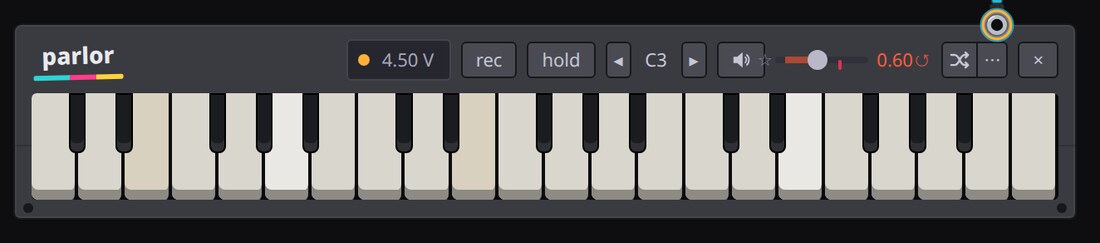
An eight-bit sampling home keyboard. A ROM holds one short recording per voice, and a counter walks it at the rate each note asks for.
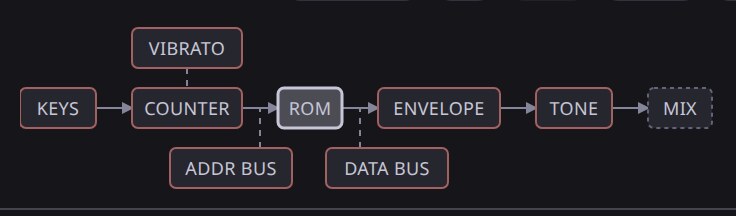
Growler
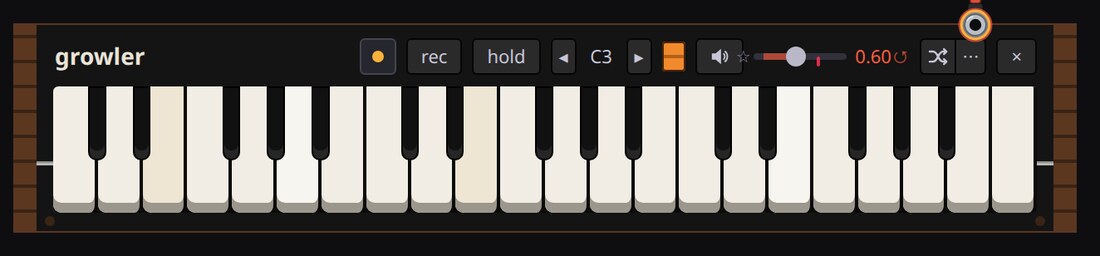
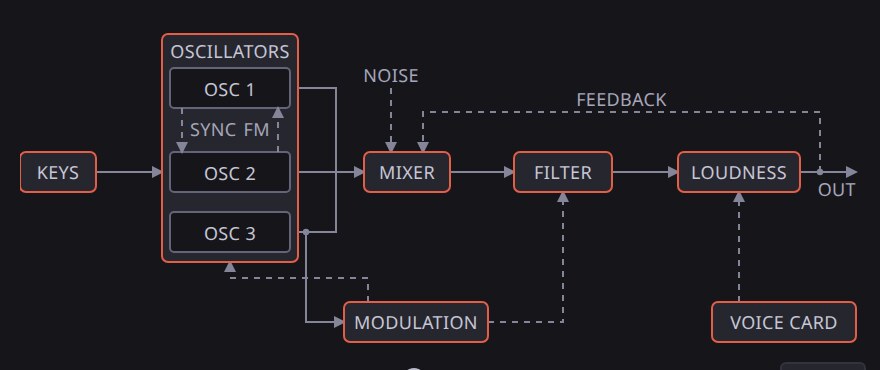
A Model D-style monosynth card. Three oscillators with hard sync feed a four-pole transistor ladder filter that self-oscillates.
Kit sync on its melody memory steps the bass line on Clatter’s counter, so swing, a slipping clock or a cleared counter moves the bass with the drums.
The acc and slide rows under its piano roll make it an acid line. An accented step hits louder and kicks the cutoff, and accents close together climb, higher with more Emphasis. A slide holds the gate into the next note and glides there with no new attack.
Four-track
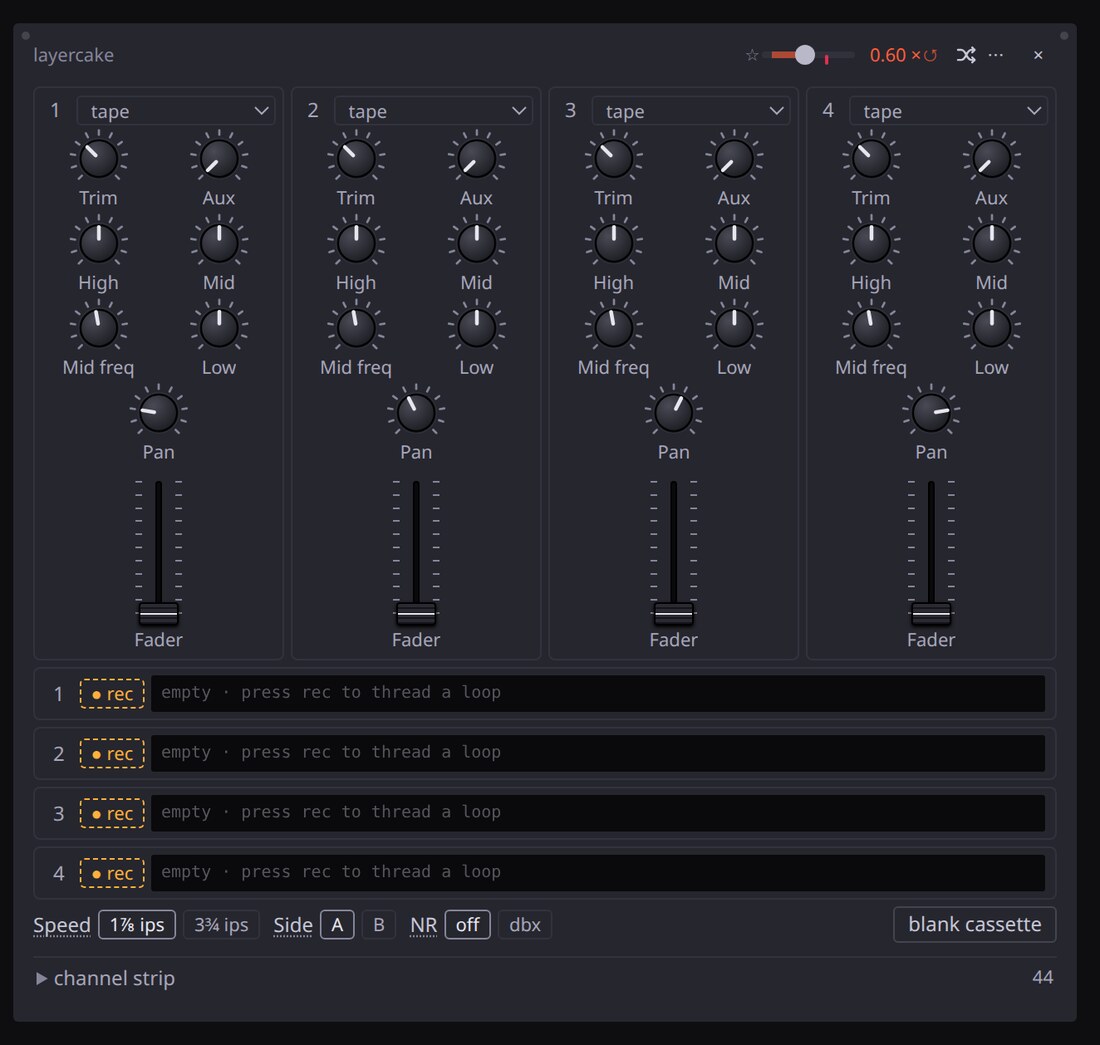
A cassette four-track. Four tape loops of different lengths run behind a desk with EQ and an aux send, and the desk squeals with nothing plugged in.
Spool
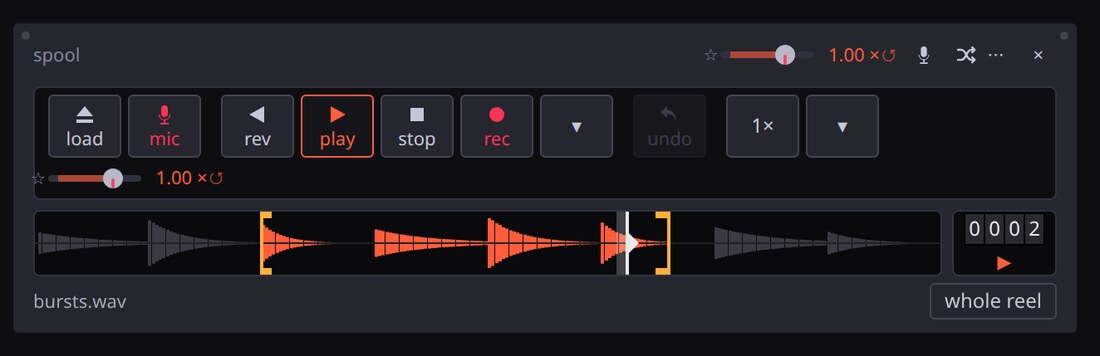
A tape loop that records onto itself. Whatever is on the reel plays through the whole board, and the record head lays the board’s output back down at the play head, so each lap goes through every bend, pedal and tape machine again.
Put a tape on:
- Drop an audio file anywhere on the page
- load pulls a random tape off an archive.org shelf: 78s, numbers stations, old-time radio, NASA audio or spoken word. The drawer also searches archive.org
- rec with nothing loaded threads a blank reel. Press it again to close the loop at the length you played
Play it:
- rev, play and stop run the transport
- The speed key steps through ¼, ½, ¾, 1 and 2×. The arrow beside it opens a knob from 4× reverse through a stop to 4× forward
- Drag the two markers on the reel to loop one bar of a long recording. Pinch them together and the loop sounds as a pitch. whole reel puts them back at the ends
- Drag the tape to move the head. The counter beside the reel reads whole seconds into it
- Restarts the file on and Ending: one-shot in the panel turn the file into a seventh drum voice, struck by a kit voice, a key or a shout in the mic
Record over it:
- rec overdubs the board’s output onto the reel. undo takes the last overdub back off, and nothing restores anything older
- The arrow beside rec opens the record head’s knobs
- Erase all the way up replaces each lap with the next, a delay the length of the reel. All the way down, the laps pile up
- Wear takes a little more top end off every lap, and Hiss lays a new layer of noise down each time round
- Hold turns the write level up by what each lap lost, so the loop stays at its level
- A bend in the path changes the loop a little more on every pass
Wire it in:
- mic into → tape motor: the tape runs as fast as you are loud and stops in silence
- The patch bay reaches the capstan and both loop markers, to bend the reel’s pitch or slide the loop window along the recording
- Parlor’s sampled voice plays the reel across its keys, with the loop markers as its loop
Mic
Your microphone, soldered into the board. mic into on the bench bar, or the mic cap on a machine, picks the jack.
The trigger patch
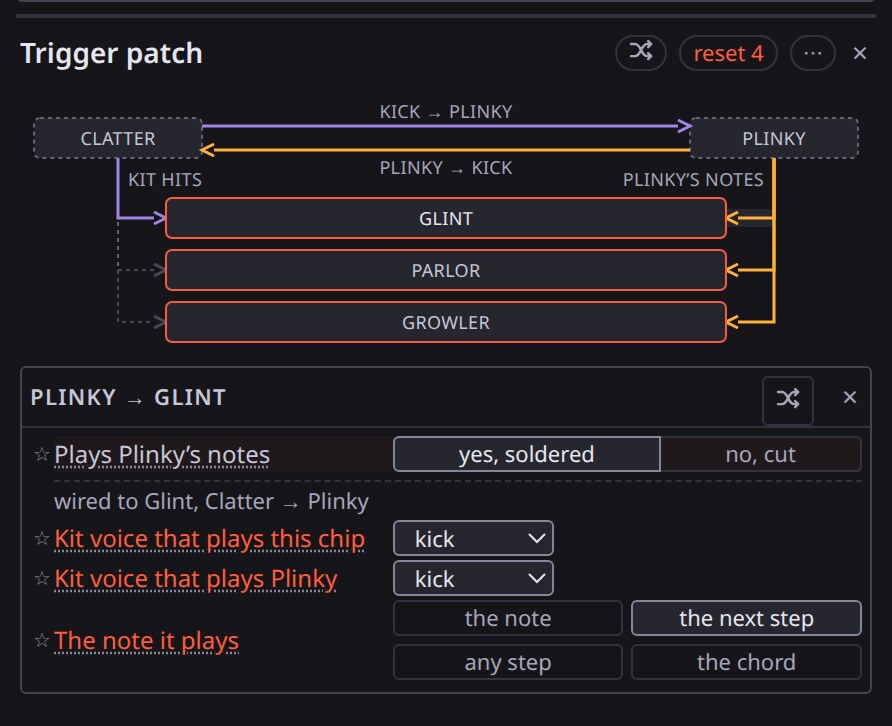
Cables between machines carry two signals:
- Notes (amber): every key Plinky strikes, from your keys, its tune or its arpeggio
- Hits (purple): one of Clatter’s voices, or any hit
Drum hits play the keys, keys fire the drums, and Glint, Parlor and Growler
listen to both. The trigger patch and the map name each cable the same way,
kick → Glint or Plinky → Growler.
The bench draws the same cables down a gutter beside the keyboards. Every keyboard has a GATE jack on top and a TRIG jack under it:
- Plinky’s GATE jack is its notes out, and any number of cables stack on it
- Every other GATE jack, the kit’s included, takes Plinky’s notes
- Each voice on the plate on top of Clatter has a jack, and a cable from one into a keyboard’s TRIG jack lets that voice strike it. The TRIG jack prints the voice it holds
- Press a jack to plug its cable in or pull it out, or drag a cable’s end onto another jack to move it there
Power supply
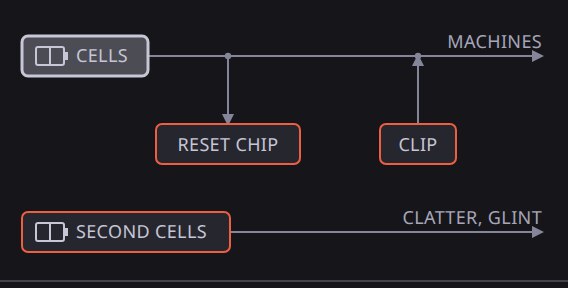
One battery rail runs Plinky, Clatter, Glint, Parlor and Growler, so a sag drops the pitch of all five and slows the kit. A reset chip reboots the chips at a voltage you set, or jams one.
- Supply on each machine’s panel moves it off the shared cells
- Second cells: a separate set with its own knobs and watchdog
- Bench supply: a stiff rail that never sags or reboots
Bend it
- Starve drags the shared battery rail down
- Clip chatter drags a paperclip across the pads
- Letter keys switch on sixteen dealt bends. The envelope picker beside them sets how a held key moves: snap, swell, riser (climbs over four bars, drops when you let go), pluck or wobble (pulses on the eighths)
- Fault on the bus cuts, grounds or bridges a wire inside a chip
- add pedal lists every pedal by sound: dirt, echo and space, pitch and tone
- Sockets: eight of the pedals (ring mod, crusher, octave and the rest)
compete for six sockets. Adding one fills the first empty socket, or trades
out the last when all six are full
- Dry joints can drop a socketed pedal and Re-solder can move it; the other six pedals sit after the sockets, out of their reach
- The badge shows the socket, off when no socket holds it, now 5 while Re-solder has moved it, and drop while a dry joint holds it out
- The footswitch sets the mix to 0 and back to where you left it, and slots the pedal in again if it has no socket
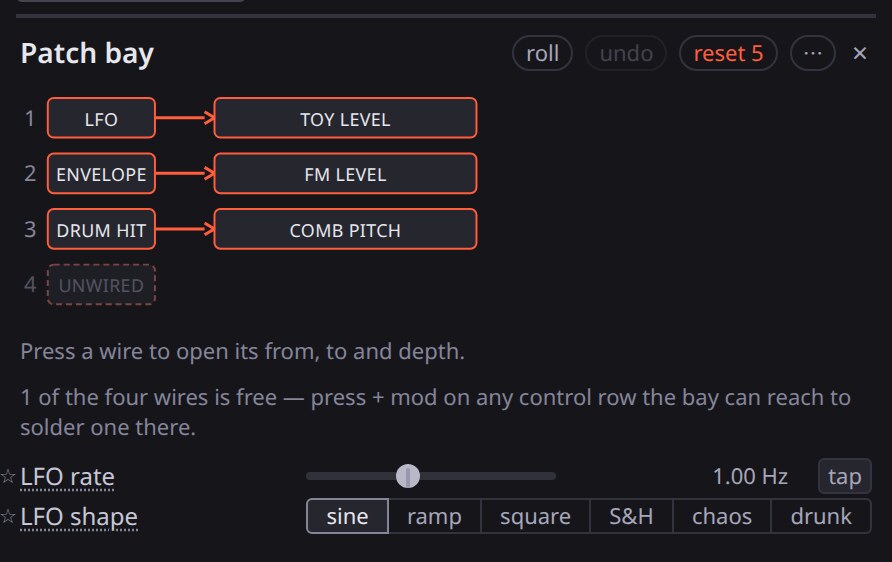
+ mod wires an LFO to any control. The patch bay holds four wires from a source to a knob. LFO sync runs the LFO in bars or note values of the kit’s tempo and restarts each cycle on the beat it belongs to.
The patch bay’s four wires also show on the bench as blue cables:
- The MOD plate over the keyboards has a jack for the LFO, the ADSR, the phrase and both lanes, and for any other source a wire picks up
- Every machine has a CV jack, the kit’s on its plate. Plugging a cable in uses a spare wire, which lands on Plinky’s or Glint’s clock, Parlor’s level, Growler’s pitch or the kit’s tune
- A patched CV jack prints where its last cable lands, such as pitch or level. Pressing that word lists everything the bay reaches on the machine
- The patch bay sets how hard a wire pushes. A wire onto any part of a machine on the bench draws into that machine’s CV jack
- The ADSR’s gate jack sits beside its output. With no cable in, a held key opens the ADSR; a cable from a voice on the kit’s plate opens it on that hit
Step lanes under the bay are two rows of sixteen values, lane A and lane B, each with its own length. A wire off a lane sends the value on the step the kit stands on, so one step can starve the rail, the next can open the crusher, and the one after can leave both alone.
Phrase is a source that moves over 1 to 32 bars of the kit:
- Rise climbs and drops back on the downbeat; build saves its climb for the last bars
- Fall, swell, stairs (a notch a bar) and a slow wave cover the other moves
- Wire the phrase onto another wire’s depth, and a fast LFO on that wire grows over the phrase
ADSR is an envelope a held key or a kit hit opens. Attack is how long it takes to climb, decay how long it takes to fall to the sustain level, and release how long it takes to die once the gate shuts:
- Off the kick with sustain at zero and a short decay, it pumps whatever the wire lands on
- Off any hit with a long attack and Hold at 16 steps, it swells over seconds while the beat runs underneath
- Off the keys, it opens while you hold a chord and dies when you let go
The arc
arc in the header swings the board between the board you set and a wild twin of it. The first press turns Crazy up and opens the arc’s controls under Output:
- Crazy: how far the arc reaches into the wild twin. In the twin, about half the knobs on the stages you can hear sit near an end of their travel, a fifth of the switches sit on another choice and the kit’s Wander is up. The arc starts each knob moving at a different point, so a few parts change at a time
- Arc, the shape the arc follows over its length:
- hold: Crazy the whole time
- rise, snap back: a climb to Crazy, then a cut back to your board
- snap, fall back: a cut to Crazy, then an easy return
- swell: out to Crazy and back
- spikes: your board on most bars, Crazy on a few, easing back within the bar
- weather: a slow random wander between the two, a new heading every four bars
- Arc length: 4 to 128 bars at the kit’s tempo, locked to its downbeat
- Moves: glide travels smoothly; jump changes the board on the downbeat, calm, halfway or Crazy for the whole bar
- Wild roll: each number rolls a different twin off the same board
- The panel keeps showing your board, and the button shows how far into the twin the board stands. The arc runs on the audio thread, so it keeps going in a hidden tab
Pedals and tape
- Gnash: six dirt-box circuits: screamer, rat, muff, germanium, octave, gate
- Wraith: a tape echo. A motor-driven capstan pulls a five-second loop past three play heads. Time sync sets the echo from the kit’s tempo
- Ricochet: a delay pedal with a clean mode, a bucket-brigade mode, reverse and hold
- Boing: a spring reverb tank that crashes when you kick it
- Chorale: a bucket-brigade chorus, string ensemble, dimension and vibrato
- Ember: a tube amp with Fender and Marshall tone stacks, a push-pull power stage that sags, and a speaker
- Feedback bus: the output fed back in, as a mixer with nothing plugged in squeals
- Tape machine: the whole board printed to open reel, cassette or microcassette, with Dolby B or dbx, wow, flutter and shed oxide
- Brownout: the mains failing, with sag, dropouts, crackle and hum
- Varispeed: slows the whole board, tempo and pitch together, as the motor of a deck winds down
Keep it
- Wav export with stems
- Share copies a link to the board
- Sign in to save named voices
- On a phone, the simple version swipes and tilts to bend